
Many content creators, experts, and podcast hosts spend hours producing live streams or in-depth classes. But the work doesn’t end there. To grow on social media, that long-form content needs to be repurposed into short-form videos.
The solution many professionals are adopting is to turn videos into clips with AI, scaling their digital presence without tripling their workload.
In a landscape where social networks prioritize fast, dynamic videos, artificial intelligence must be your ally in content production.
In this article, you’ll learn how to fill your content calendar by turning long videos into viral clips.
Why Turning Videos into Clips with AI Became a Social Media Differentiator
According to HubSpot data, short-form videos deliver the highest ROI (Return on Investment) in digital marketing. As a result, brands and creators are posting more frequently on platforms like Reels, TikTok, and Shorts.
However, this creates a new challenge. As more videos are published, competition for audience attention increases. To stay visible and relevant, brands must post more—consistently.
Trying to keep up with this pace through manual editing often becomes a growth bottleneck. This is why AI has become the right-hand tool of top players:
Scalability: While a human editor may take hours to find a strong hook and add captions, AI does it in minutes.
Reach at Scale: Posting daily on multiple platforms (Shorts, TikTok, Reels) becomes viable with automation.
Strategic Focus: AI doesn’t replace creativity—it supports it by handling the heavy lifting.
What Does It Actually Mean to Turn Videos into Clips with AI?
Many people think “making clips” is just randomly cutting a video. Modern AI tools go far beyond that. They intelligently analyze audio and visuals to ensure professional results.
In practice, when you use AI to turn videos into clips, the system performs:
Relevance Analysis: AI detects energy peaks, topic changes, and impactful statements with high retention potential.
Format Adaptation: The original video is automatically reframed for vertical format (9:16).
Multiple Clip Generation: From a 60-minute class, the tool can suggest 10–15 different clips, ready to fill your weekly content calendar.
Step by Step: How to Turn Videos into Clips Ready to Post
Transforming dense content into viral videos doesn’t have to be complex. With an organized process, you can automatically extract the best moments from your raw footage.
Let’s use the Shorts, Panda Video’s automatic viral clip generator, as an example.
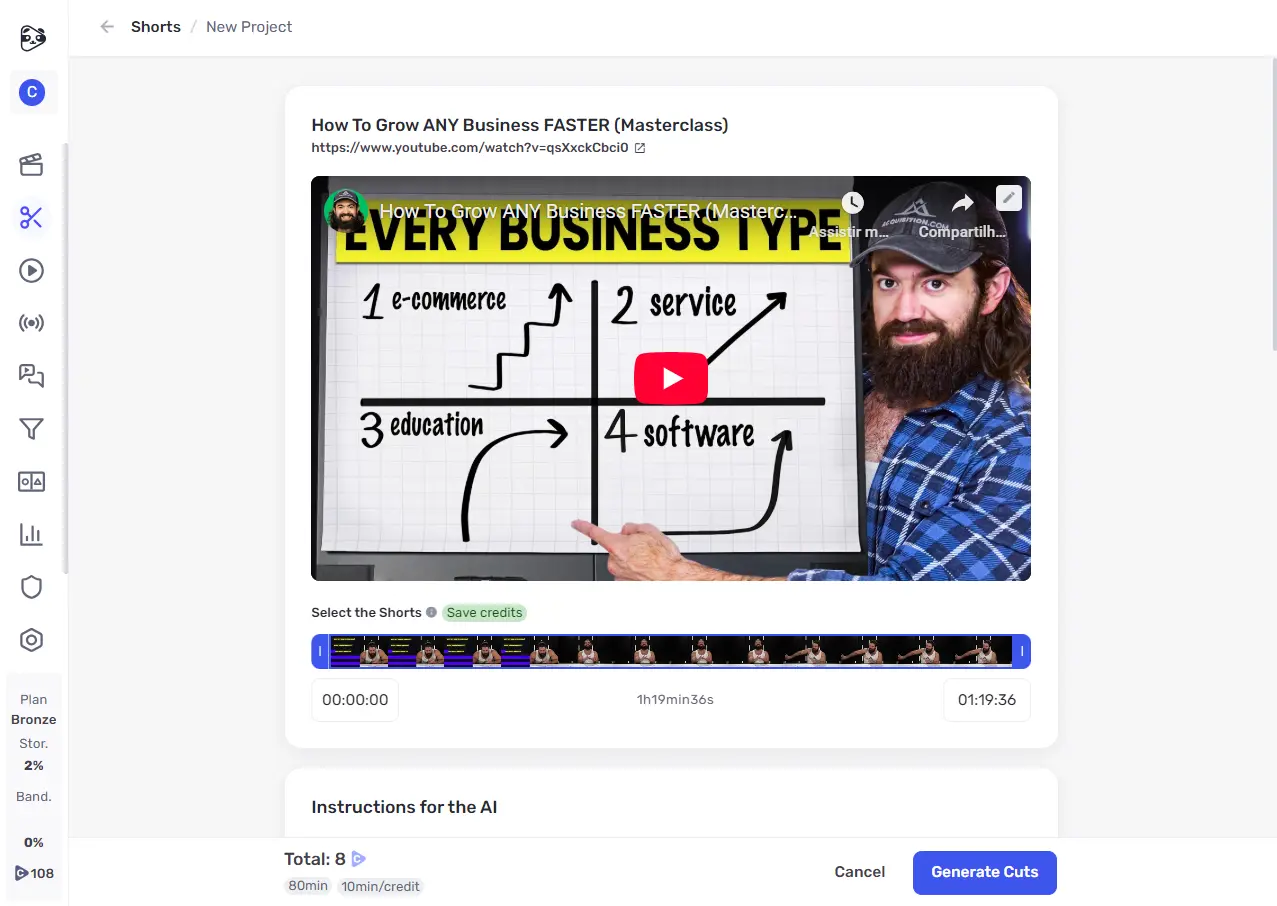
1. Choose the Video (Live, Class, Podcast, etc)
Start by selecting content that already delivers value. Podcasts and live classes are excellent raw materials because they often contain powerful insights that can stand alone.
Simply paste the YouTube link or upload the video file.
2. Define the Ideal Format for Each Platform
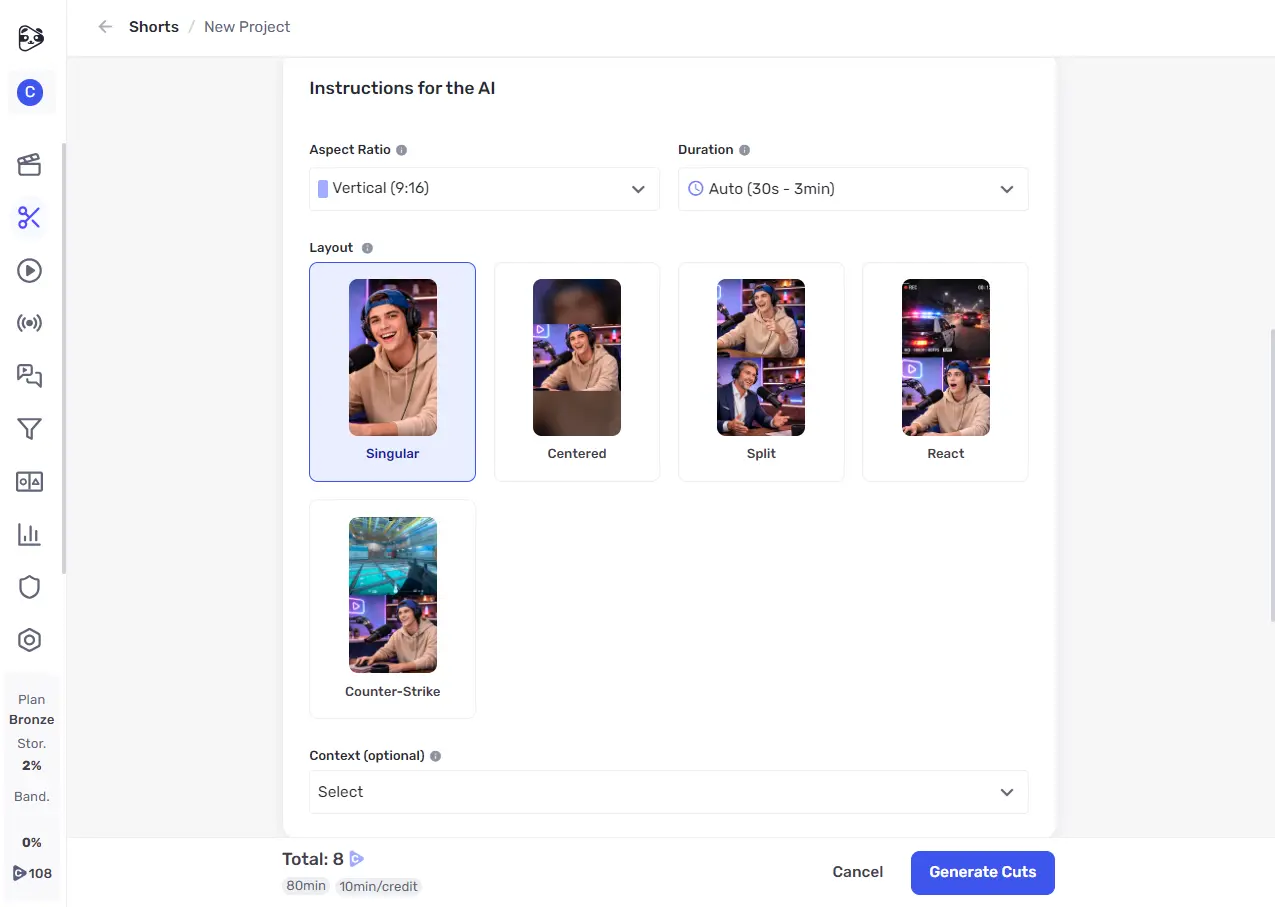
Each platform has its own standards. For Reels, TikTok, and Shorts, vertical format (9:16) is the default.
Make sure the AI tool adjusts the framing so the speaker stays centered, even if the original video was recorded horizontally.
3. Set the Caption Style and Visual Identity
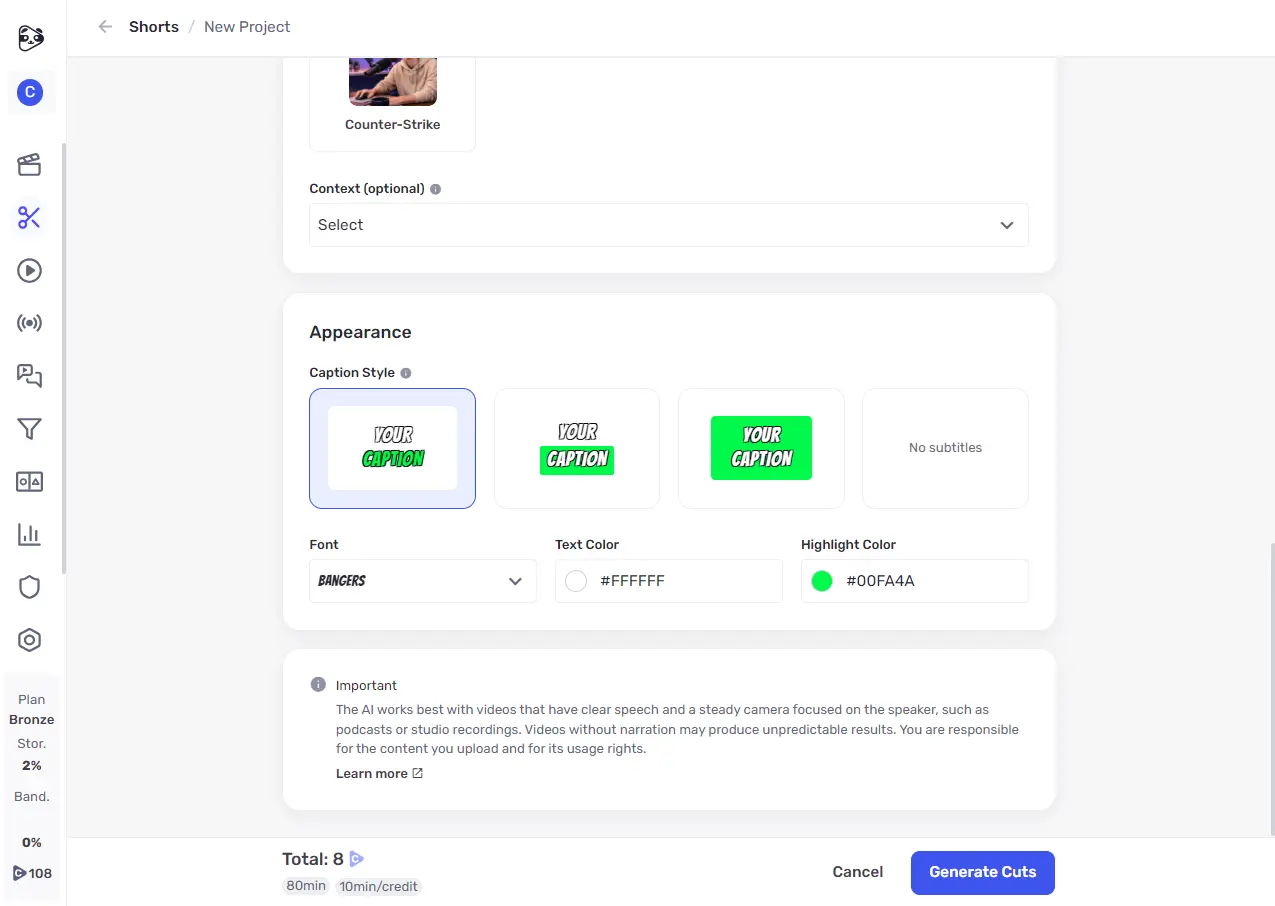
On social media, many users watch videos without sound. Captions aren’t optional—they’re essential.
Choose readable fonts, high-contrast colors, and dynamic styles (such as captions that change color as the speaker talks) to boost retention.
4. Automatically Generate Clips with AI
With the video uploaded and the style defined, AI analyzes both audio and semantics to identify high-impact moments.
It handles the entire scanning process, separating segments with a clear beginning, middle, and end.
5. Select the Best Clips to Publish
AI offers multiple options, but your strategic judgment is the final filter.
Choose clips that deliver an immediate, practical takeaway—these are the ones most likely to be shared and drive engagement.
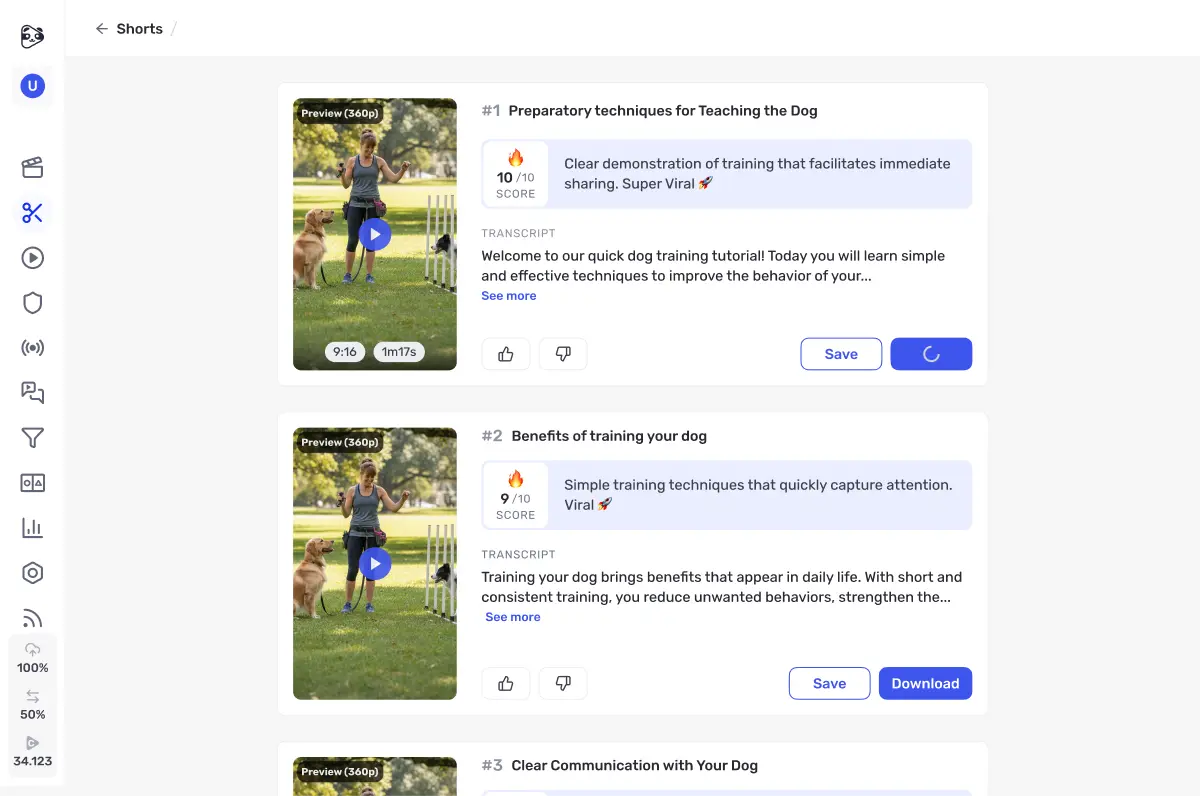
When generating videos with Panda Video Shorts, each clip receives a score indicating its viral potential.
Common Mistakes When Turning Videos into Clips with AI
While AI makes the process much easier, some mistakes can hurt performance. Watch out for these:
Clips that are too long: Speed is key on Reels and TikTok. Clips longer than 90 seconds may lose retention unless they’re extremely dynamic. Aim for 30–60 seconds.
Lack of context: Sometimes AI selects a powerful statement that depends on prior explanation. Make sure the clip makes sense to someone who has never seen the original content.
Poor or missing captions: Posting short videos without captions—or with inaccurate transcriptions—looks unprofessional. Always review auto-generated text.
Inconsistent posting: Social media algorithms reward consistency. Posting 10 clips in one day and disappearing for a week won’t work. Use AI to build a content library and distribute posts over time.
Who Benefits Most from Automatic Viral Clip Generation?
The strategy of turning videos into clips with AI isn’t limited to large YouTube channels.
It’s especially powerful for creators with small teams—or those working solo.
According to the Forbes Council, smart content repurposing strengthens brand authority and increases social media visibility.
In this scenario:
Content creators can turn hours of recorded content into bite-sized knowledge clips to educate their audience on Instagram and convert undecided leads.
Podcasters can be discovered by new audiences through highlights from their episodes.
Clippers and faceless channel owners can save hours of work by generating 15 clips from a single video.
Conclusion
Creating content consistently is one of the biggest challenges in digital marketing.
With the right tools, you can dramatically reduce the workload.
AI allows you to unlock 100% of the potential of every video you produce—ensuring your message reaches more people in less time.
To simplify this journey, Panda Video developed Shorts, a built-in feature of our video hosting platform that does all the work for you.
With Panda Video Shorts, you don’t just generate clips automatically—you also get AI-powered scoring that ranks each video by viral potential.
Want to turn your long videos into an engagement machine?
Try Panda Video for free and expand your digital reach.