Meet Panda Pilot: the AI that performs tasks in your video hosting platform

Did you know that the platform hosting your videos has much more to offer than what you use every day?
But between knowing and doing, there’s a gap that consumes more time than it should: navigating menus, finding the right settings, and executing the correct process for each task. In the end, you only use what you already know, while the rest of the platform becomes untapped potential.
But what if you could simply tell the platform what you need, and it would do it for you?
That’s exactly what Panda Pilot is designed to solve.
Managing videos has become a conversation
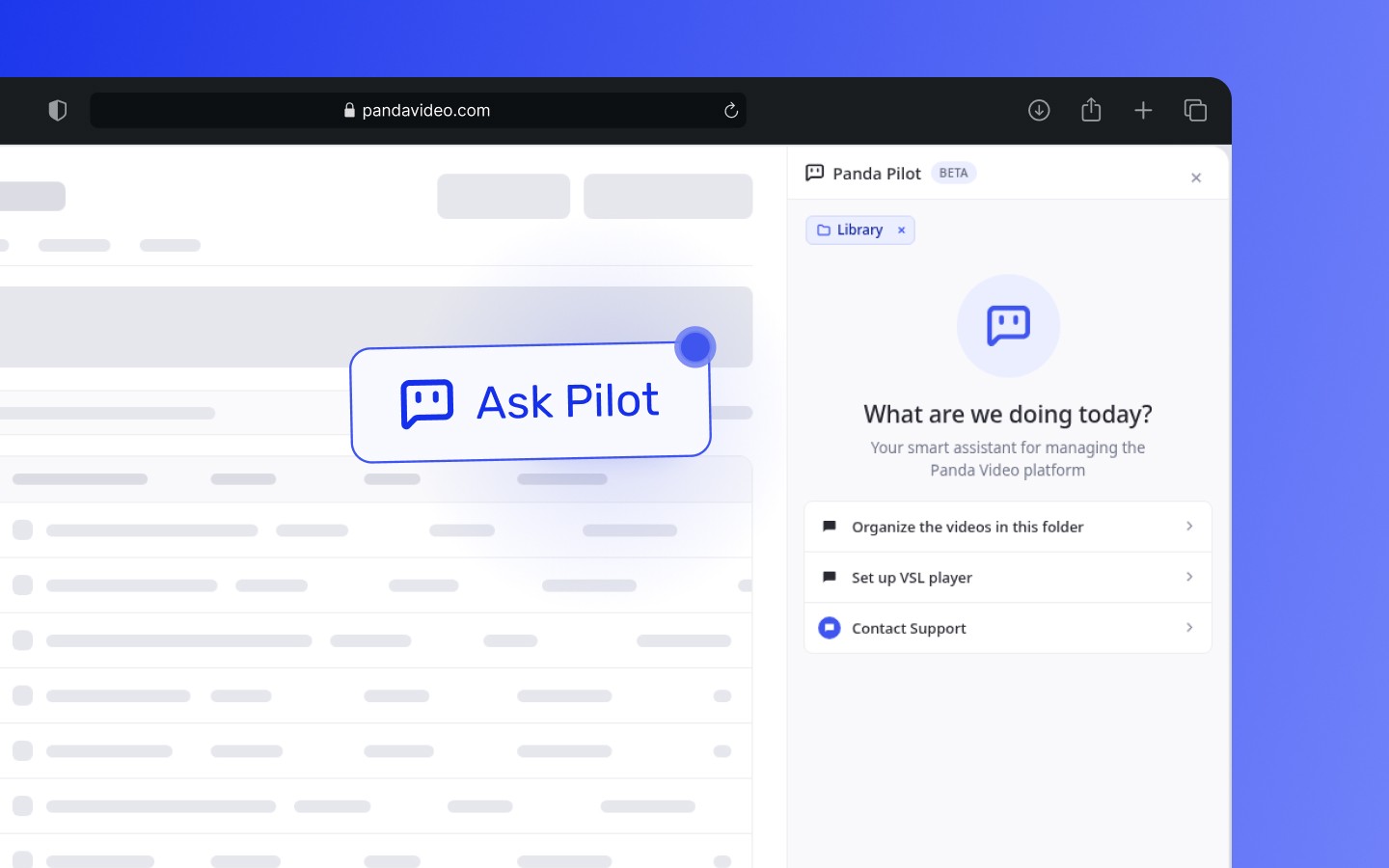
Panda Pilot is an artificial intelligence assistant built directly into the Panda Video dashboard.
It works as a side chat panel: you simply type what you need, just as you would message someone on your team, and the AI performs the action within the platform.
No need to know where every setting is located. No need to navigate through endless submenus.
If you need to generate subtitles for videos inside a folder, simply ask: “Generate subtitles for the videos in the ‘Advanced Course’ folder.”
If you want to know when your audience watches the most, just ask: “What are the best viewing times for my videos?”
With more than 150 available actions across 11 categories, Panda Pilot handles everything from basic organizational tasks to advanced AI-powered features.
Native AI, not a chatbot layered on top
There’s an important difference between having AI integrated into a platform and having a support chatbot that answers questions.
Traditional chatbots talk. Panda Pilot acts.
It wasn’t created as a support layer on top of Panda Video. It was developed as part of the product itself, with real access to your settings, videos, folders, analytics, and AI features. That means when you type a command, the action actually happens—inside your account, on your videos, using your data.
No other video hosting platform offers this today. Panda Pilot is the first native AI assistant in the industry.
One command. Real action.
The best way to understand Panda Pilot is to see what it can do in practice. Here are the main use cases, organized by outcome:
Organize your entire library without leaving the chat
Anyone hosting dozens or hundreds of videos knows how quickly organization can get out of control. With Panda Pilot, you can solve it using simple commands:
“Create a folder for Module 4 lessons and move videos X into it”
“Build a playlist with the 10 videos from the sales course”
“Rename all videos that start with ‘Lesson’ to the ‘Module X’ naming pattern”
Tasks that previously required multiple clicks across different screens can now be completed with a single sentence.
Customize your player to match your brand in seconds
Player customization is often one of those tasks that gets postponed, especially when you want to apply changes only to specific videos. Panda Pilot removes that friction:
“Change the primary player color for all videos in this folder to blue #3f55ee”
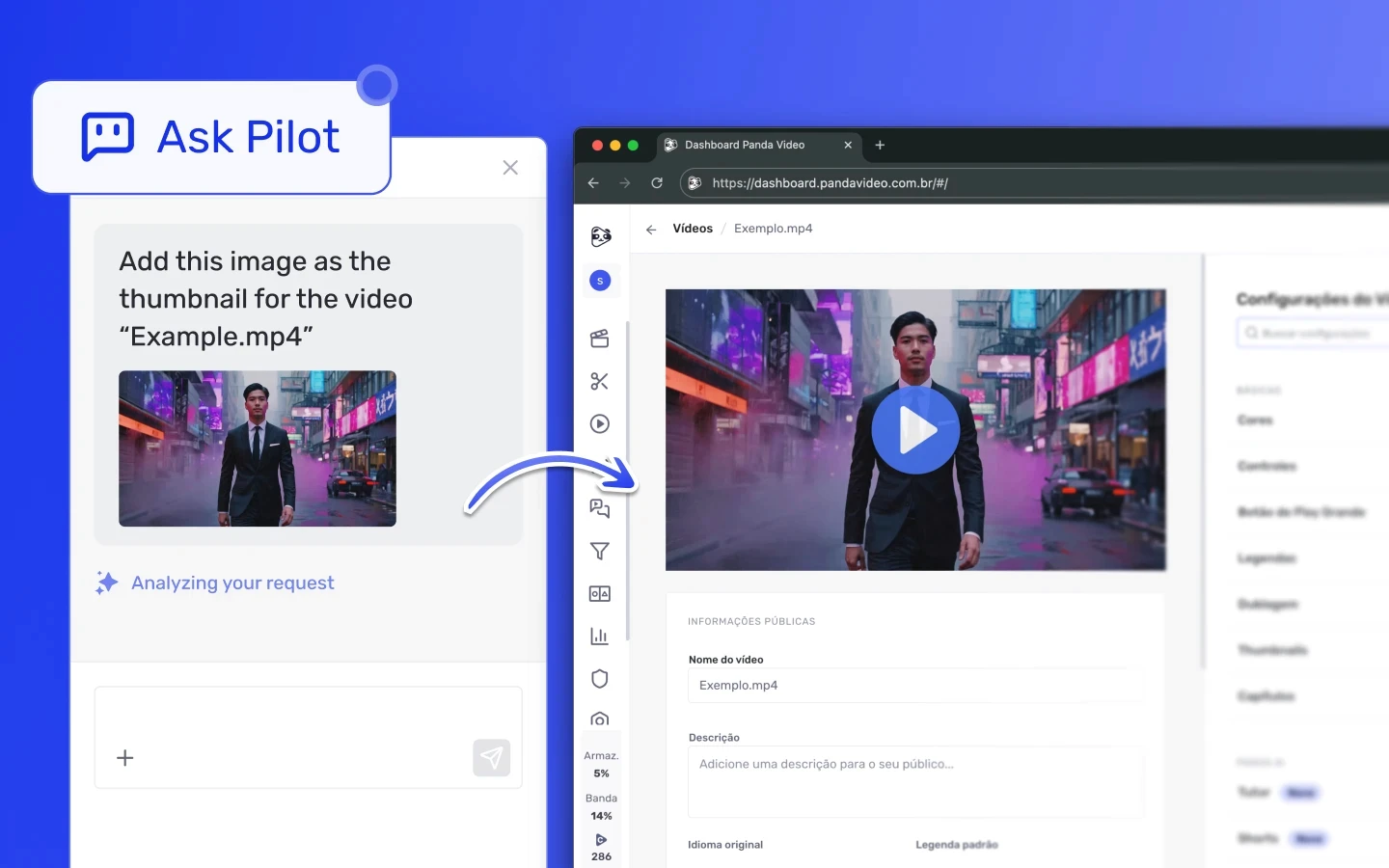
“Add a thumbnail to this video” (you can upload the image directly in the chat)
“Enable Smart Autoplay for this course player”
“Add a CTA button linking to my sales page at the 4-minute mark”
You can even upload images directly into the chat by dragging them in or clicking the “+” icon, and Panda Pilot will apply them as thumbnails without any extra steps.
Expand your videos’ reach with AI
This is where most users still haven’t explored the platform’s full potential: Panda Video’s AI features, all accessible through chat.
“Generate English subtitles for this video” (available in up to 34 languages)
“Dub this video into English using LipSync”
“Generate Shorts from this 45-minute video”
“Enable Panda AI for this video”
“Create a Tutor using the videos from Module 1 and the attached support PDF”
Features that were once hidden in menus are now easier to discover and use because the path is as simple as typing what you want.
Tip: On the Gold Plan, subtitle generation, Tutor creation, and complementary materials are free! See the plan comparison. |
Also read: How to create AI-powered video clips ready for Reels, TikTok, and Shorts
Track performance and configure protections without switching screens
Analytics and security are two areas that often get overlooked because they require active navigation.
With Panda Pilot, they’re only one question away:
“How many views did video X get in the last 30 days?”
“Compare this month’s retention rate with last month’s”
“What are the best viewing times for my videos?”
“Export the views report as a CSV”
“Enable DRM protection for this video”
You command, it confirms before acting
Panda Pilot was designed to give you complete control at every step.
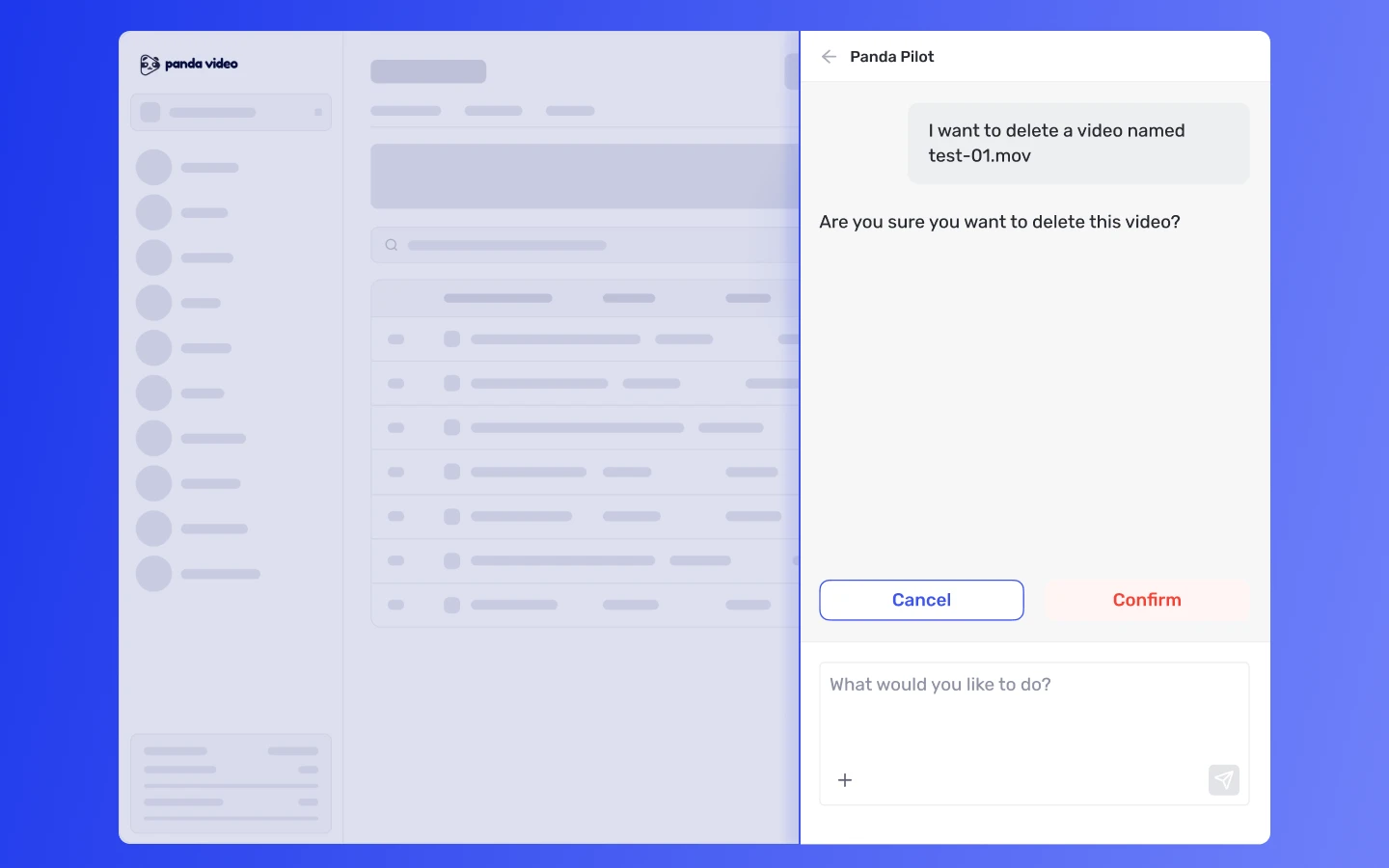
For any action that modifies or removes content, the assistant asks whether you want to Confirm or Cancel the action. Nothing happens without your explicit approval.
And when Panda Pilot doesn’t recognize a command, it doesn’t try to guess. Instead, it lists the available actions to avoid incorrect executions.
What no other video hosting platform offers today
Generative AI tools have become common in text editors, design platforms, and even web browsers. In the video hosting industry, however, this simply didn’t exist.
Competing platforms may offer isolated AI features, such as automatic subtitle generation. But none of them have integrated a native conversational assistant capable of performing actions directly within the user’s account—without external integrations and without additional steps.
Panda Pilot changes that. And it’s available on all Panda Video plans at no additional cost.
For those managing online courses, VSLs, and content libraries, this represents a meaningful shift in the way they work: fewer clicks, less time navigating settings, and most importantly, more value delivered by the platform.
Try Panda Pilot now
If you’re already a Panda Video customer, Panda Pilot is available in your dashboard right now.
Click the “Ask Pilot” buttons throughout the platform and start with a simple command: ask it to list your videos, organize a folder, or generate subtitles for a video that doesn’t have them yet.
Don’t have an account yet? Create your free Panda Video account and discover what it’s like to manage your video library through conversation.
Frequently Asked Questions about Panda Pilot
Does Panda Pilot work on all plans?
Panda Pilot is available on Panda Video’s Bronze, Silver, Gold, and Enterprise plans at no additional cost.
Can Panda Pilot accidentally delete my videos?
No. Every destructive action requires explicit confirmation. The assistant shows you exactly what will happen, and you decide whether to confirm or cancel before execution.
Can I use Panda Pilot to generate AI-powered content?
Yes. Panda Pilot provides access to AI features such as automatic subtitle generation in up to 34 languages, dubbing, Shorts creation, mind maps, quizzes, and e-books—all through chat. Some AI features consume credits depending on your subscription plan.
Does Panda Pilot replace human support?
No. Panda Pilot is an assistant designed for operational tasks and platform-related questions. For personalized assistance, you can request support directly through the chat located in the lower-right corner of the platform.