Remarketing for VSL: 4 segments you need to advertise to
What happens to people who watch your VSL but don’t buy?
If the answer is "nothing," you're missing an opportunity to increase your sales.
People who watch your VSL are not just any visitors, and that’s why it doesn’t make sense to give up on them so quickly.
In this article, you’ll learn how to do Remarketing for VSL in a segmented way based on how much of the video was watched—and, more importantly, what to communicate to each segment.
Why watching a VSL is different from visiting a page
When someone visits a landing page and leaves, you know very little about them. You know they entered. Maybe they read the headline. That’s it.
When that same person watches 70% of a 20-minute VSL, you know they heard your hook, understood the problem you solve, followed your story, and got close to the offer. They spent more than 14 minutes in direct contact with your sales message.
That’s a completely different level of intent.
According to WordStream, the average landing page conversion rate is 2.35%. It’s those remaining 97% that remarketing will work on.
The 4 audience segments your VSL generates
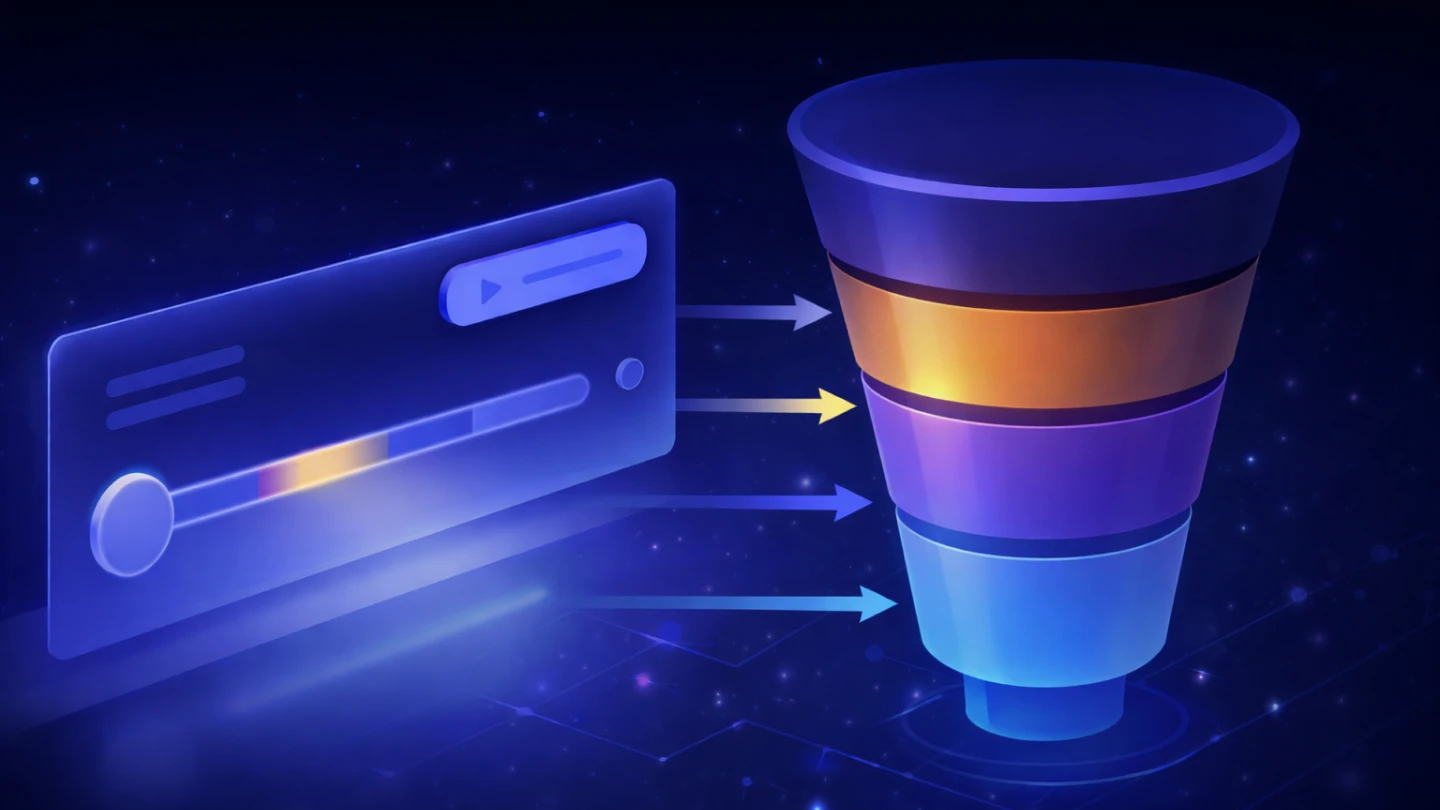
Every VSL creates four audience groups with distinct engagement profiles. Each one absorbed a different amount of your message and, therefore, is at a different stage of the buying decision.
Segment 1: those who saw the player but didn’t press play
This lead reached the page, saw the player loaded, but didn’t start the video. They may have been distracted, skeptical about the offer, or simply didn’t understand what was waiting for them.
The level of intent is low, and they absorbed none of the sales message.
Segment 2: those who pressed play but left early (up to 30%)
This lead started the video but left before reaching the core argument. They saw the opening, but the hook wasn’t strong enough to keep them, or they got interrupted, or didn’t relate to the problem presented.
The main message hasn’t reached them yet.
Segment 3: those who watched more than 50%
This lead heard your value proposition, followed your argument, and got close to the offer pitch. If they didn’t buy, it’s not due to lack of interest. It’s a specific objection that hasn’t been addressed yet: price, distrust in results, doubt about whether it works for their situation.
Segment 4: those who watched 90% or more and didn’t buy
This is the hottest segment in your entire remarketing base. They watched almost everything, know the offer, and didn’t buy. The conversion window here is short: the first 48 to 72 hours concentrate most of this group’s potential.
Also read: Video Retention Rate: what it is and why it impacts your sales
What you should say to each audience
Most traffic professionals create one remarketing ad and show the same creative to all these groups. This wastes budget and delivers the wrong message to the wrong person.
Here’s how to approach communication for each segment.
Audience 1: those who saw the player but didn’t press play
Intent level: low
Creative goal: generate the first click on the video
Tone: curiosity, no pressure
This person hasn’t had contact with your sales message yet. Showing price, bonuses, or urgency here doesn’t make sense—they don’t know enough about what you offer for it to resonate.
The job is simple: spark enough curiosity for them to press play.
What works:
A clip from the first 20–30 seconds of the VSL, showing the hook without revealing the full promise
Light numerical social proof: "more than 3,000 people have already watched this video"
A creative that reinforces your ICP’s core pain without mentioning the product
Ad copy example: "You’ve probably already tried 'niche' and it didn’t work. There’s a reason for that. Watch the video."
Audience 2: those who pressed play but left before 50%
Intent level: medium
Creative goal: reconnect with the pain, not repeat the offer
Tone: empathetic, no pressure
This audience started the video, but the message wasn’t enough to keep them. It could have been distraction, or the hook didn’t connect. Either way, the offer hasn’t reached them yet.
What works:
A short video (30 to 60 seconds) addressing the core problem from a different angle than the VSL
Content that validates the pain without selling: a market insight, a client result, a thought-provoking question
A "did you know..." format presenting a surprising insight related to the niche
Ad copy example: "Most people trying to achieve nicheresultniche resultnicheresult give up before reaching the part that actually makes a difference. This video explains why."
Audience 3: those who watched more than 50%
Intent level: high
Creative goal: address specific objections
Tone: direct, rational
This person heard your value proposition, followed your argument, and got close to the offer. If they didn’t buy, there’s a specific objection blocking the decision.
Common objections at this stage: price, distrust in results, doubt about whether it works for them, or lack of urgency.
What works:
Testimonials from customers who had the exact same doubts before buying
A short FAQ-style video: "the 3 questions everyone asks before joining"
Cost-benefit comparisons that make the investment concrete and reasonable
Highlighting the guarantee as risk reduction, not as a sales tactic
Ad copy example: "Many people who watched the video asked me: ‘Does this work for someone starting from zero?’ The answer is here."
Audience 4: those who watched 90% or more and didn’t buy
Intent level: very high
Creative goal: drive the decision now
Tone: urgent, direct
This is your hottest audience. They watched almost everything, know the offer, and didn’t buy. The conversion window is short: the first 48 to 72 hours after viewing hold most of the conversion potential.
After that, interest drops quickly.
What works:
Real scarcity: limited spots, time-sensitive bonuses, special conditions
Social proof from people with similar profiles, preferably with recent results
Reinforcing the guarantee as a final argument to eliminate perceived risk
Direct CTA: "enrollment closes on datedatedate. Secure your spot."
Ad copy example: "You’ve already watched the video. You already know what’s included. What’s stopping you from making the decision?" Followed by a short testimonial and a direct checkout link.
How to set up pixels in Panda Video to create these audiences
To turn this strategy into real campaigns, your VSL player needs to fire events to ad platforms. That’s where Panda Video comes in.
The platform triggers three main events:
panda_view: triggered when the user views the player on the page
panda_play: triggered when the user presses play
panda_watchtime: triggered every 10% of the video watched
The panda_watchtime event is the core of this strategy. It allows you to create custom audiences based on watch time.
The pixel is installed directly on the video, not the website. This means you can have different pixels for different VSLs without cluttering GTM or relying on complex rules.
For the Meta pixel (Facebook and Instagram):
Go to Meta Business Suite and create a dedicated Dataset (pixel)
Copy the pixel ID
In the Panda Video dashboard, go to the desired video → Pixel → Add Pixel
Select "Facebook," paste the ID, and publish
For the Google Ads tag:
In Google Ads, go to Tools → Audience Manager → Your data sources
Copy the tag ID
In the Panda Video dashboard, repeat the process above by selecting "Google"
Panda Video also supports integration with other platforms (TikTok Ads, Taboola, etc).
You can see the full step-by-step guide in the Panda Video Help Center.
Also read: Low Ticket Funnel: how to use VSL and paid traffic to sell entry-level products
VSL remarketing starts with tracking quality
The difference between generic remarketing and precise remarketing lies in the quality of the data you collect. And that starts with how your player tracks viewer behavior.
Hosting your VSL on a platform that provides percentage-based view tracking is the technical foundation for everything described here. Without this data, you're doing remarketing blindly.
With Panda Video, you get exactly that: milestone-based tracking, native integration with Meta and Google Ads, and the flexibility of custom events for other platforms.
Test Panda Video for free and start building remarketing audiences based on real engagement with your VSL.